Practical Tips for Improving Posture in the Office
Improve your posture in front of the computer with our practical tips. Prevent musculoskeletal injuries and ensure a healthier work environment.
· 6 minutos · Segurança no Trabalho
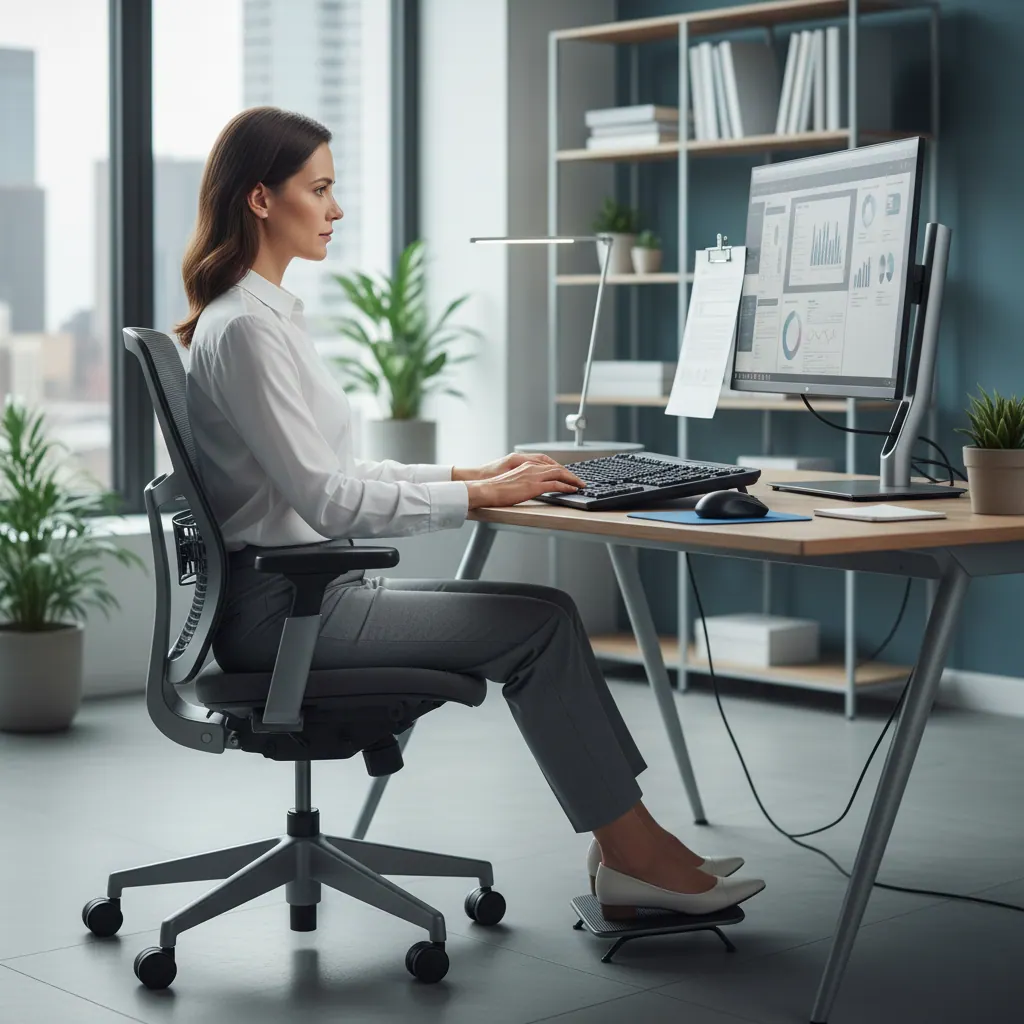
Adopting proper posture in front of the computer is crucial to prevent musculoskeletal injuries and other health problems associated with workstations involving data display screens (DDS).
In Portugal, Law no. 102/2009, of September 10, amended by Law no. 3/2014, of January 28, establishes the legal framework for the promotion of safety and health at work, highlighting the importance of ergonomics in the design of workstations to safeguard the well-being of workers.
Correct Posture When Working with DDS
Adopting an ergonomic posture is fundamental. To do so, follow these recommendations:
- Head and Neck: Keep your head straight, aligned with your torso, and your neck relaxed. The top of the monitor should be at eye level or slightly below.
- Shoulders and Arms: Shoulders should be relaxed and arms close to the body. Forearms should form an angle of approximately 90 degrees with the arms, parallel to the floor.
- Back: The spinal column should maintain its natural curves. Use an ergonomic chair that offers good lumbar support and a backrest that adjusts to your dorsal curve.
- Hips and Legs: Hips should be as far back as possible in the chair, forming an angle between 95 and 110 degrees with the torso. Knees should be bent at a 90-degree angle.
- Feet: Feet should be fully supported on the floor or on a footrest if they don't comfortably reach the floor.
Importance of Equipment and Work Environment
- Screen: Avoid reflections and work with adequate lighting. The distance to the screen should be approximately an arm's length (about 50-70 cm).
- Keyboard and Mouse: Should be close to the body, allowing wrists to remain straight and relaxed. Use a keyboard and mouse that fit your hand and work style, minimizing tension.
- Chair: It is the central element for good posture. It should be adjustable in height, seat depth, backrest tilt, and armrests.
- Desk: Should have enough space for equipment and allow height adjustments, if possible, to alternate between sitting and standing positions.
How to Prevent Musculoskeletal Injuries
Injury prevention involves a set of integrated measures:
- Take regular breaks: Get up and do small stretches every 30-60 minutes to relieve muscle tension and improve blood circulation.
- Practice stretching exercises: Focus on the muscles of the neck, shoulders, wrists, and back.
- Adjust your workstation: Make sure all elements (screen, keyboard, mouse, chair) are adjusted to your physique and needs.
- Stay active: An active life outside of work contributes to muscle strengthening and overall body flexibility.
Practical Conclusion
Adopting correct posture and an ergonomic work environment are not just recommendations; they are essential practices for your long-term health and well-being. Invest time in adjusting your workstation and integrating active breaks into your routine, and your body will thank you. Small changes can make a big difference in preventing discomfort and injuries, contributing to greater productivity and professional quality of life.